Download the 2026 ILR Mobile App
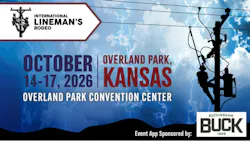
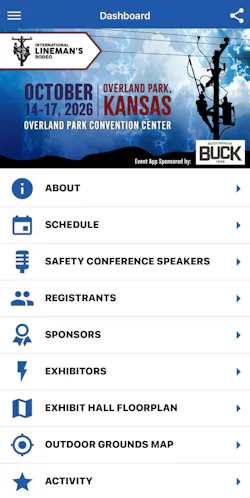
Thousands of attendees come to Kansas City every year for the International Lineman's Rodeo Week. To stay on top of what is happening, make sure you download the official mobile app, sponsored by Buckingham Manufacturing.
Here's how to do it:
- Visit the Apple Store or Google Play and search for "Attendee Mobile" and then type in "International Lineman's Rodeo." If you are still logged into the previous year's app, click on the menu in the top left corner and select "Change App" and then search and select the 2026 app. Allow push notifications when prompted to receive event updates throughout the week
- To access all the app features, simply log in by tapping the "Log in" button at the bottom of the splash screen using the email address you used to register. If you do not remember your login information, tap the "Forgot Password" button to get reset instructions.
By downloading the app, you can check out the following:
- Schedule for the International Lineman's Rodeo Week
- Information about the safety conference speakers
- A list of registrants, sponsors and exhibitors
- Exhibit hall floor plan
- Outdoor grounds map
- Things to do in Overland Park, Kansas
If you have any questions or encounter any issues, please reach out to the support team at [email protected].